Expert TV mounting
Fixed, tilt, full-motion and specialty mounting planned around screen size, seating, wall structure and room layout.

From precise wall mounting and concealed cabling to Apple TV, streaming devices, soundbars and network tuning, we build a clean entertainment setup that looks finished and works the way it should.
Fixed, tilt, full-motion and specialty mounting planned around screen size, seating, wall structure and room layout.
We organize HDMI, power and low-voltage connections so the finished installation looks intentional instead of improvised.
Apple TV, streaming boxes, game consoles, Blu-ray players and soundbars can be connected, updated and organized as one system.
Streaming performance depends on the network, so we check connectivity and placement when Wi‑Fi is part of the experience.
A finished TV system is more than a bracket on the wall. We plan viewing height, motion, wiring, sources, sound and connectivity as one installation.

We choose mount type and placement around seating distance, wall construction, furniture, windows, glare and the devices that need to connect behind or near the screen.
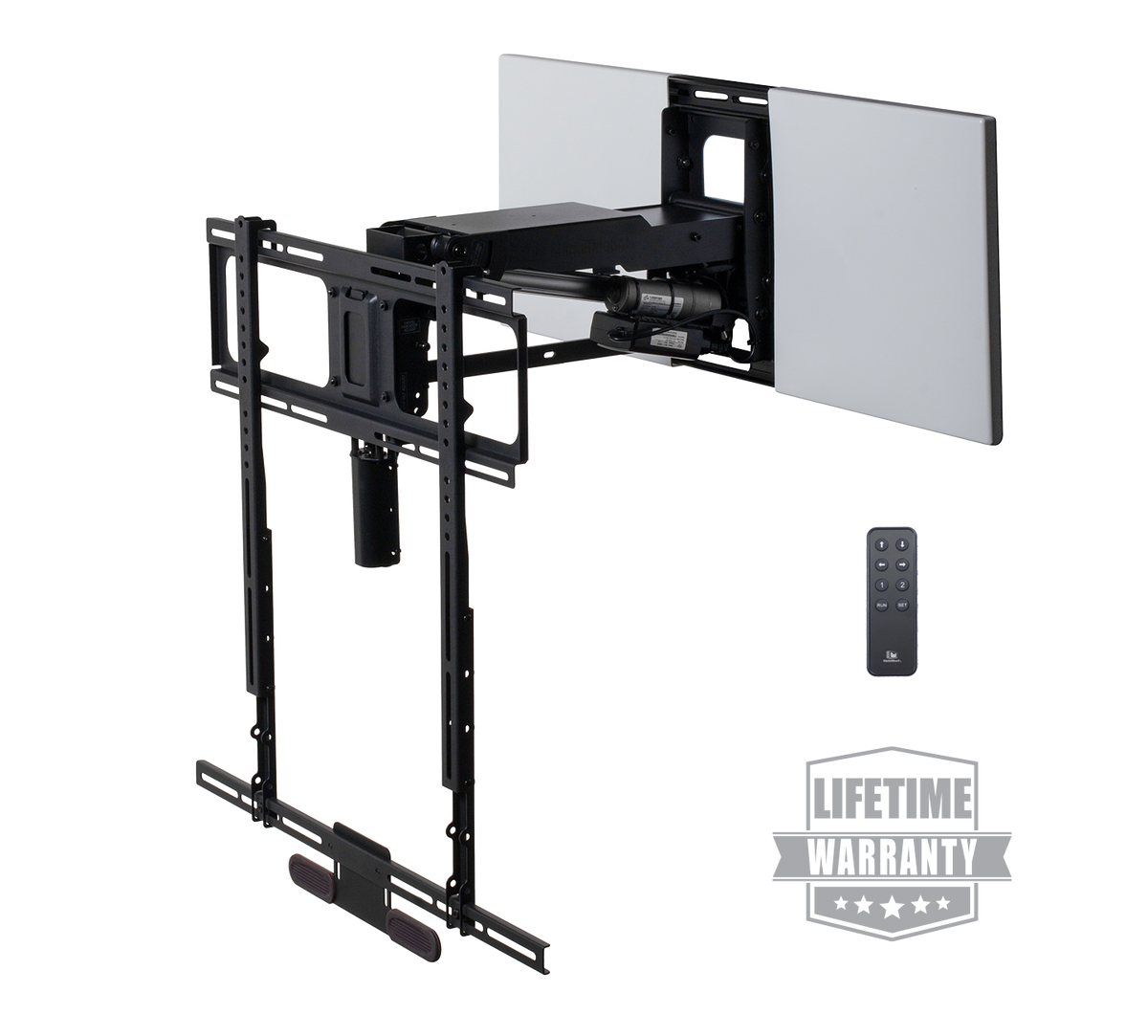
For the right fireplace and wall conditions, pull-down or motorized mounts can preserve the room layout while improving everyday viewing height.
We connect the streaming hardware, configure display and audio paths, organize apps and make sure the remote and network experience feel straightforward from day one.
We plan cable routes, device locations and network connectivity so 4K streaming, audio return, source switching and future service are easier to manage.
Apple TV 4K can be controlled from the Apple TV Remote in Control Center on iPhone or iPad. AirPlay lets compatible Apple devices send video, audio or screen mirroring to Apple TV, and supported audio setups can expose additional volume control from the phone.
This showcase demonstrates the kind of everyday control we configure after installation—Apple TV navigation from mobile, easy access to the entertainment system and a cleaner experience than juggling disconnected remotes.
Mounting is only one piece. We coordinate the screen with source devices, audio, wiring and connectivity so everyday operation feels simple and the room stays visually clean.
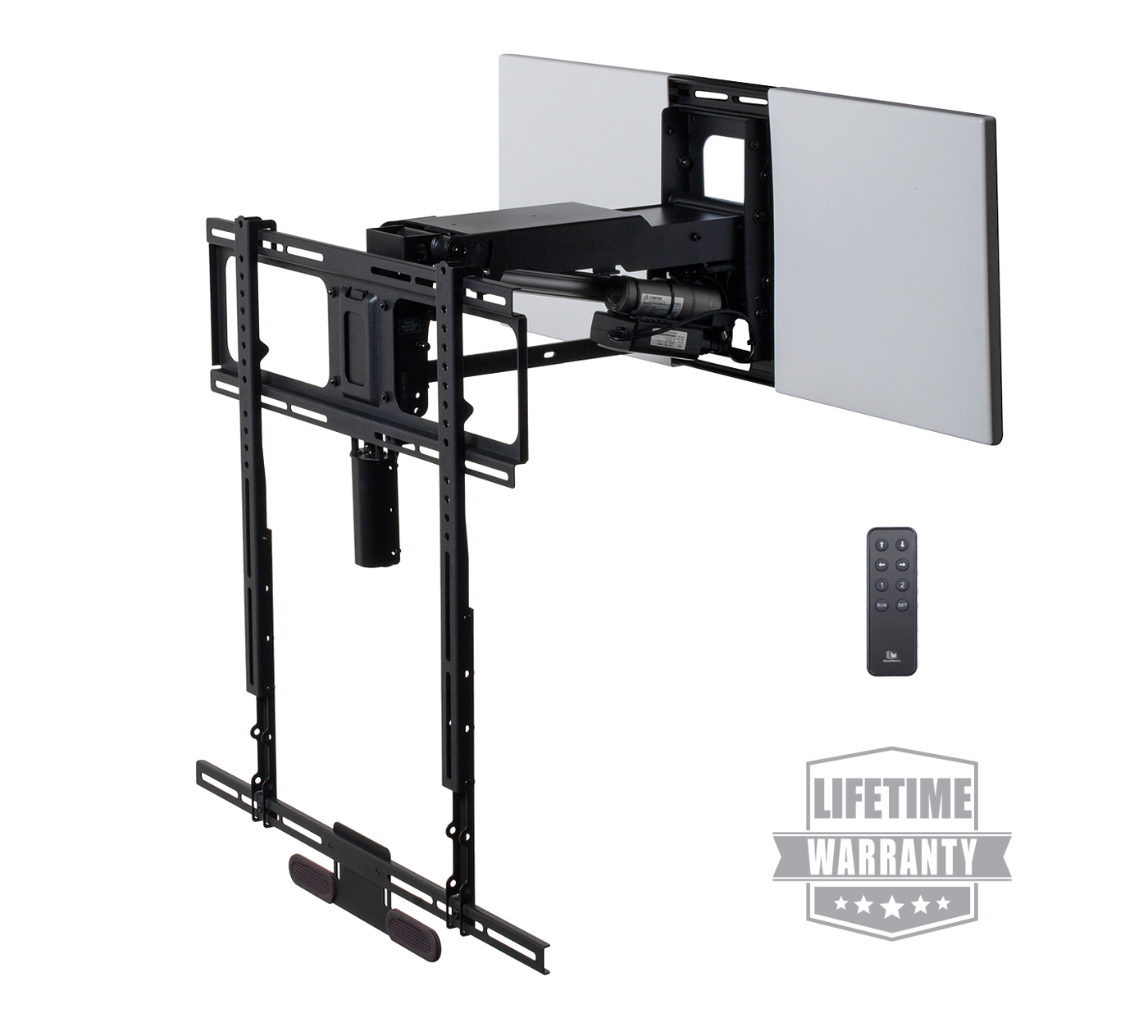
The MantelMount MM815 is designed to lower and swivel a high-mounted TV by remote. We can evaluate whether this style of solution makes sense for the fireplace, TV size, wall structure and finished-room goals.
Mount selection always depends on the specific TV, fireplace, mantel depth, heat conditions, wall construction and manufacturer requirements.
This installation reel shows the part customers actually live with: mounted screens, clean room placement and completed entertainment setups after the hardware, devices and connections have been brought together.
We handle the practical details around the display so the screen, devices and room feel like one deliberate installation.
We establish screen position from seating and room geometry, then level and refine the installation after mounting.
HDMI and low-voltage routing is organized to reduce visible clutter while keeping serviceability in mind.
We coordinate soundbar position, cable paths and mount clearances so the audio setup visually belongs with the TV.
Streaming boxes, consoles and other components are placed and labeled so the system stays clean and easier to maintain.
We treat mounting, cabling and device setup as one job so you are not left with a finished wall and an unfinished system.
We review screen size, wall material, studs, fireplace conditions, seating, glare, devices and desired cable visibility.
We choose the appropriate mounting approach, establish viewing height and install the screen with careful alignment.
Apple TV, streaming sources, soundbars, consoles, HDMI paths and network connections are configured and organized.
We verify picture, sound, remotes and streaming behavior, then show you the everyday controls before we leave.
Schedule a free consultation and let Sierra Tech handle the mounting, cabling, streaming setup and finishing details so you can simply sit back and enjoy it.